
For trades and subcontractors

Subcontractor payment software that helps you get paid faster

Get paid faster. Without fees. More ways to use your available money.

You finish the work. The costs keep coming. Kunstrux helps participating trades request payment for eligible work, keep the payment conversation tied to the project, and follow the information available to them through the shared App. When money is available to an eligible account, they can use the account options available to them.

Get the Kunstrux App

Download Kunstrux on the App Store Get Kunstrux on Google Play

Payment access depends on your account setup, project participation, and the applicable approval and payment process.


A smiling tradesperson in a tool belt holds his phone inside a framed house under construction.

The work is done. Keep payment moving.

Builders and trades use the shared Kunstrux App. Payment requests, project records, job purchasing, and the people you need to reach stay close to the work, with tools that reflect your role and project setup.

Use the App to request payment for eligible work, follow the activity available to you, and keep the next conversation tied to the project. Requesting payment, approval, payment, and money becoming available remain separate steps.

App screens shown with sample data.
  • Request payment for work completed or in progress

    Eligible trades can instantly request payment for work in progress or completed work through the applicable project workflow. Keep track of money requests sent and received in the app, then use the information available to you to focus the next conversation on the step that still needs to happen.

  • Keep the payment conversation with the job

    Use direct and project chats available to your role to reach the builder or other project contacts connected to the work. Where those tools are available, share supporting photos or documents, start a payment request, and prepare or request a signature without moving the conversation into another disconnected tool.

    Your project’s approval workflows and payment processes still apply. Your builder, general contractor, lender, and accounting team retain their approval and payment responsibilities.

  • Keep payment data close to the project

    Search or filter the payment and account activity available to you, including dates, amounts, accounts, and memos where available. Eligible activity can be connected to a construction project, which gives you useful context when you need to ask about an invoice, payment application, payment status, or a payment hold.

You should not have to pay just to get paid.

Keep all of the payment you receive. Through the Kunstrux App, receiving payment does not come with an additional cost.

Materials Cards for the purchases that keep jobs moving

The next job does not wait for paperwork. It needs materials, fuel, tools, and the purchases that keep your crew moving. Kunstrux can keep eligible purchasing funds close to the work while keeping purchasing funds separate from earned pay.

  • Get what you need from the supplier

    Eligible trades can request a Materials Card for purchasing needs. If you have an eligible Materials Card, you can request additional purchasing funds where that option is available, then use the card for supported job purchases.

    Coordinate the purchasing need with the person providing the funds before the next trip to the supplier.

  • Use your card from your phone

    Where supported for your card and device, add an eligible Materials Card to your phone wallet and use it for contactless job purchases. Pay from your phone for supported purchases when the job takes you to the supplier.

    Materials Card funds are purchasing funds. They are separate from money you earn through the payment workflow. The available card actions depend on your account, role, and project setup.

  • Keep the purchase tied to the job

    For card accounts you can access, review available transaction details. Where project tagging is available, keep eligible purchases connected to the job so the next conversation starts with a useful record.

Materials Card recipient account.
Design shown with sample data.

Your money. More ways to use it.

Once money is available to an eligible account, you need a practical way to use it. The Kunstrux App brings the account tools available to you into the same place as your project and payment information.
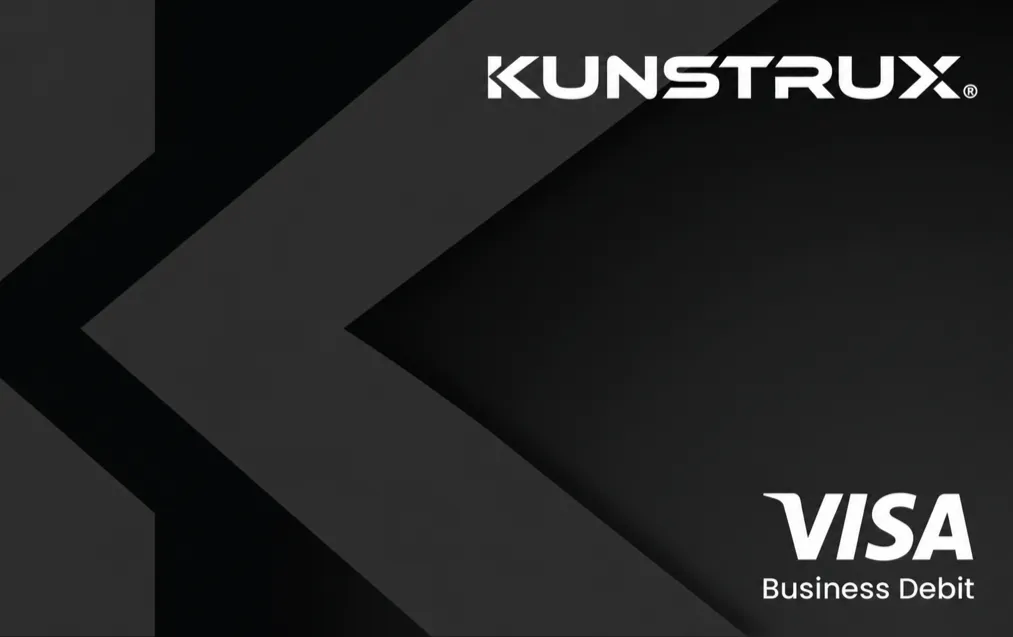
Kunstrux Visa Business Debit card artwork: black card with a large charcoal K chevron, the Kunstrux wordmark and the Visa Business Debit mark.
  • Your Primary account and debit card

    With eligible account setup, Wallet brings your Primary account, Kunstrux debit card, account details, balances, and recorded activity together. Review the information available to your account and use eligible funds for supported purchases.

  • Request, send, or move money

    Depending on account setup, you may be able to request money from an eligible contact to a Primary account, send money to an eligible contact, or use the transfer options available to your eligible accounts. You can also link an eligible external bank account.

  • For transfers: Transfer routes, timing, and funding options depend on account and project setup. Linking a bank account does not enable every transfer direction.

  • Deposit a check from your phone

    Where available to your eligible account, you may also be able to deposit paper checks through the app. These options are separate ways to manage the accounts available to you. They do not make a payment request immediately approved, paid, or available.

For the project team

One project. Fewer disconnected follow-ups.

Payment questions often need project context. Find your active projects, open the details available to your role, and keep supporting information close to the next conversation.

Find completed documents tied to the project and follow signature requests through the tools available to your role. Payment activity, documents, and conversations bring more of the job into one shared app.

That is the point of the connection.

  1. Lenders keep control of their funding process.

  2. Builders coordinate the job and draws.

    Explore Kunstrux for builders
  3. Trades get a clearer way to request payment, stay in the conversation, and put eligible money to work.

See how lenders, builders, and trades connect

App design shown with sample data.

Get connected without changing how you work

You do not need a separate app from the builder. Download the Kunstrux App, follow your project and account setup instructions, and use the key features available to your role for payments, purchasing, records, and communication.

Get the Kunstrux App

Already using Kunstrux and need help with your account or payment experience? Talk to our team.

Two tradespeople in hard hats and safety vests review building plans together inside a timber-framed house.

Questions about subcontractor payment software

Who is Kunstrux for?

Kunstrux is for trades and subcontractors participating in a project where the builder or general contractor uses Kunstrux. Available features depend on your account, role, and project setup.

Can I request and track payment in the app?

Eligible trades can request payment for work in progress or completed work through the applicable project workflow, then keep track of money requests sent and received. Requesting payment, work approval, payment, and money becoming available are separate steps. For questions about an approved invoice, payment application, payment status, payment approvals, or payment holds, contact the responsible builder, general contractor, or accounting team.

Does Kunstrux replace my invoice or pay application process?

No. Your agreed billing process still governs invoices, pay applications, and any electronic payments used for the project. Kunstrux keeps the project context, payment experience, and the next conversation closer to the work.

What does “without fees” mean?

It means you are not charged a fee for receiving payment through the applicable Kunstrux trade-payment experience. It does not mean every financial service, payment rail, card program, or third-party charge is free.

What can I use a Materials Card for?

An eligible Materials Card is for supported job purchasing. You may be able to request a new card or additional purchasing funds where those options are available. Where supported for your card and device, add an eligible Materials Card to your phone wallet for contactless job purchases. Materials Card funds are separate from earned payment funds and can have different available actions.

Can I send or move money in the app?

You may be able to request money from an eligible contact to a Primary account, send money to eligible contacts, link an external bank account, or use the transfer options available to your eligible accounts. Available routes, timing, and conditions depend on setup. A linked bank account does not establish every transfer direction.

Can I see my purchases, payment records, and documents by project?

You can review the transaction activity available to your account and eligible activity connected to a project. Project chats, completed documents, document requests, and signature tools may also be available based on your role and project. This is useful project context, not a universal project ledger or a replacement for your builder’s accounting records.

Get paid. Keep building.

Bring payment requests, job purchasing, available-money options, records, and conversations closer to the work with the Kunstrux App.

Press Escape to close.